
Trading Guide
YouTube Settings
Reference Table
| Symbol | Timeframe | Sensitivity | Chart Type |
|---|---|---|---|
| BTCUSDT | 5m | 10 | Heikin Ashi |
| ETHUSDT | 5m | 12 | Heikin Ashi |
| XRPUSDT | 5m | 12 | Heikin Ashi |
| SOLUSDT | 5m | 14 | Heikin Ashi |
| Symbol | Timeframe | Sensitivity | Chart Type |
|---|---|---|---|
| GOLD (XAUUSD) | 5m | 15 | Heikin Ashi |
| EURUSD | 5m | 13 | Heikin Ashi |
| GBPUSD | 5m | 12 | Heikin Ashi |
| GBPJPY | 5m | 14 | Heikin Ashi |
| USDJPY | 5m | 12 | Heikin Ashi |
| Symbol | Timeframe | Sensitivity | Chart Type |
|---|---|---|---|
| AAPL | 5m | 12 | Heikin Ashi |
| TSLA | 5m | 14 | Heikin Ashi |
| Symbol | Timeframe | Sensitivity | Chart Type |
|---|---|---|---|
| US100 (NQ1!) | 5m | 10 | Heikin Ashi |
| SP500 (ES1!) | 5m | 10 | Heikin Ashi |
| NIFTY 50 | 1m | 17 | Heikin Ashi |
| NIFTY BANK | 1m | 17 | Heikin Ashi |
Take Profit Settings by Asset
Bitcoin & Ethereum Settings
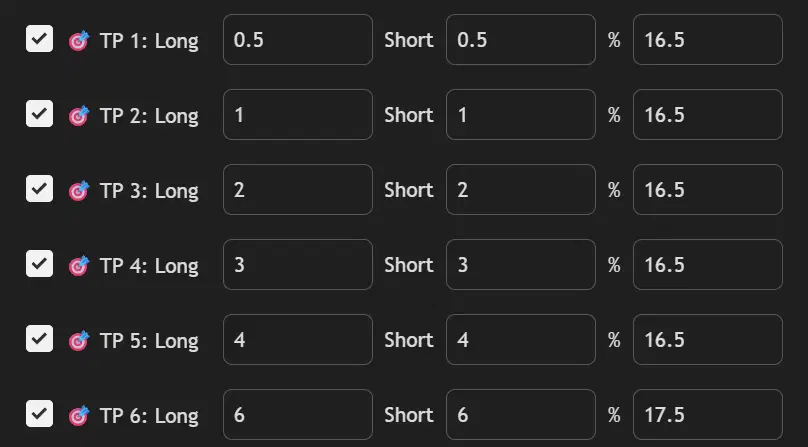
XRP & Solana Settings
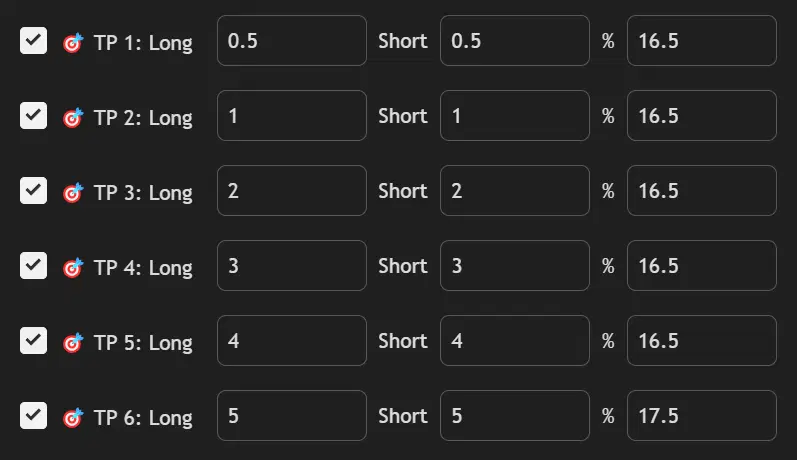
Gold (XAUUSD) Settings
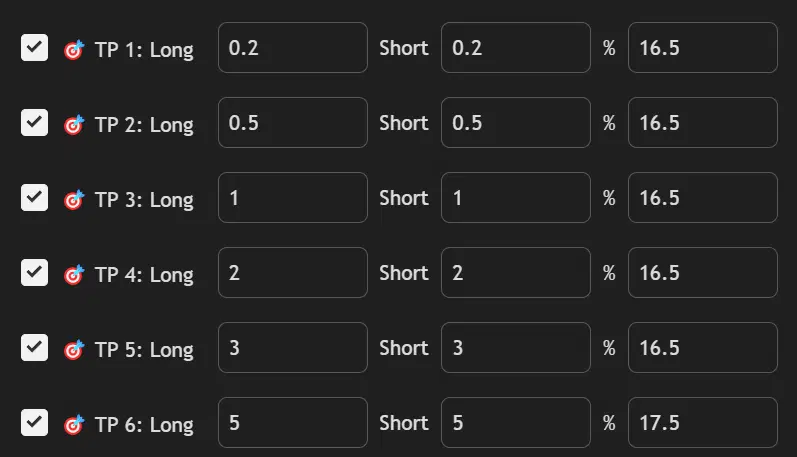
US Stocks (AAPL & TSLA) Settings
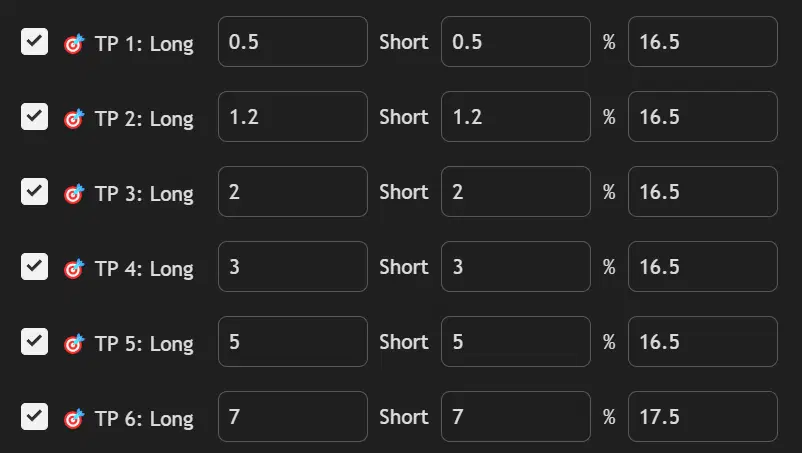
US Indices (NQ & ES) Settings
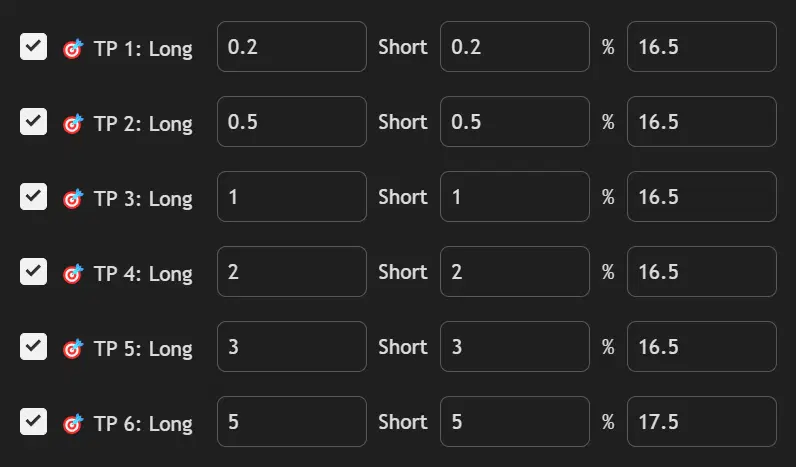
Major Pairs (EUR/USD & GBP/USD) Settings
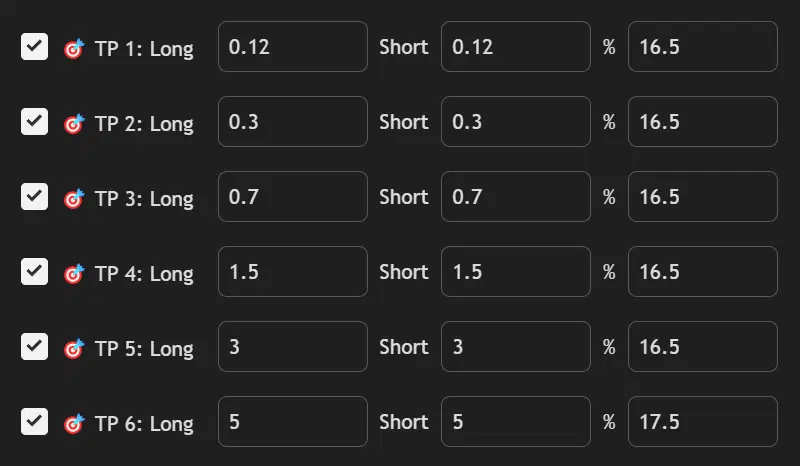
JPY Pairs (GBP/JPY & USD/JPY) Settings
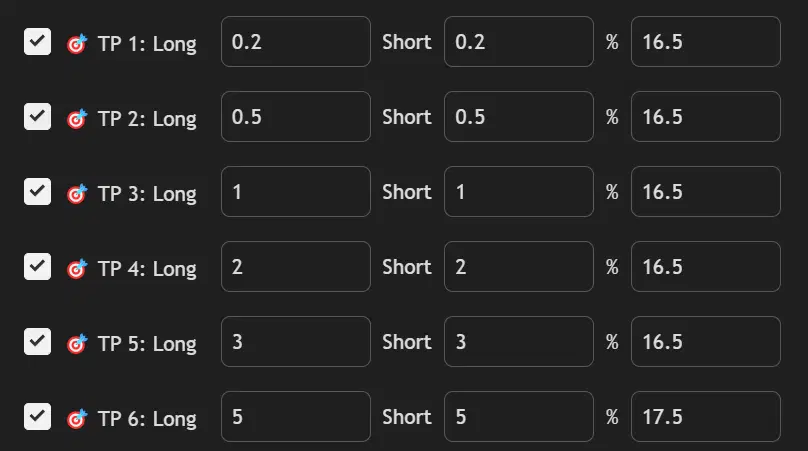
NIFTY 50 & Bank NIFTY Settings
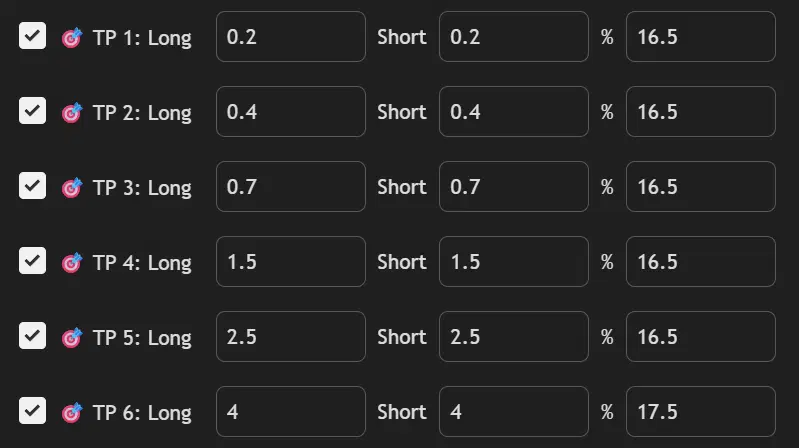
Universal Settings (All Assets)
How to Apply
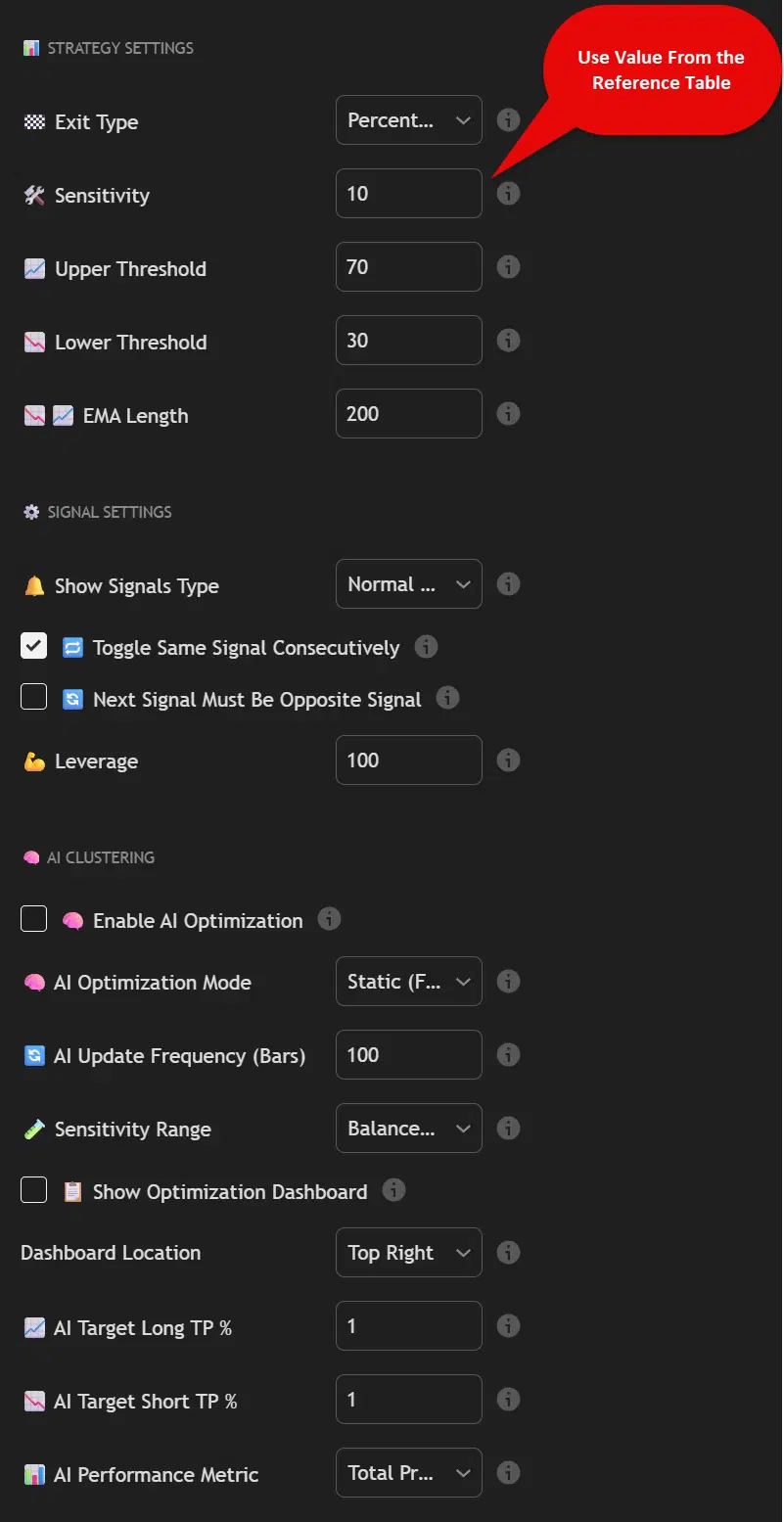
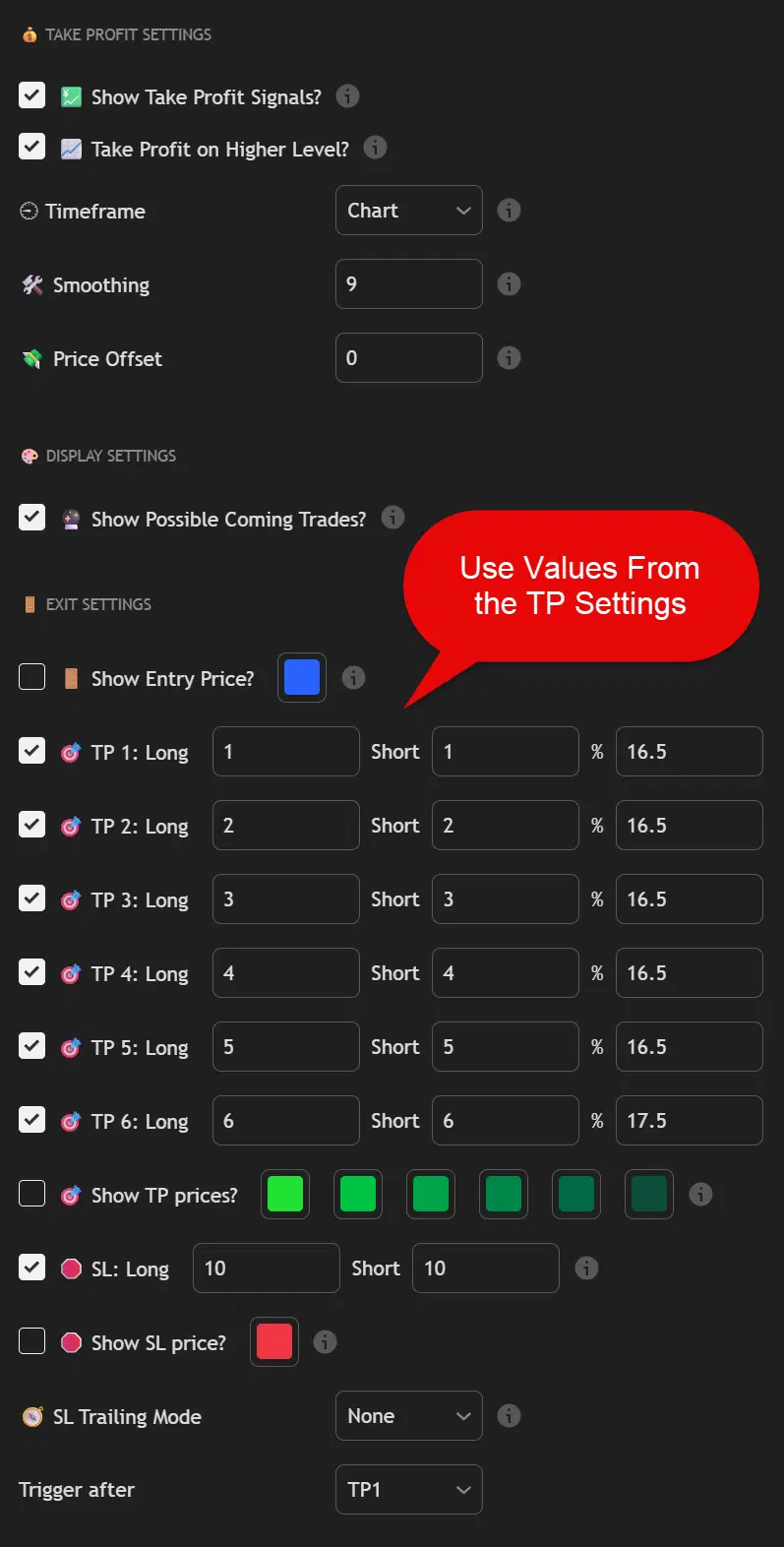
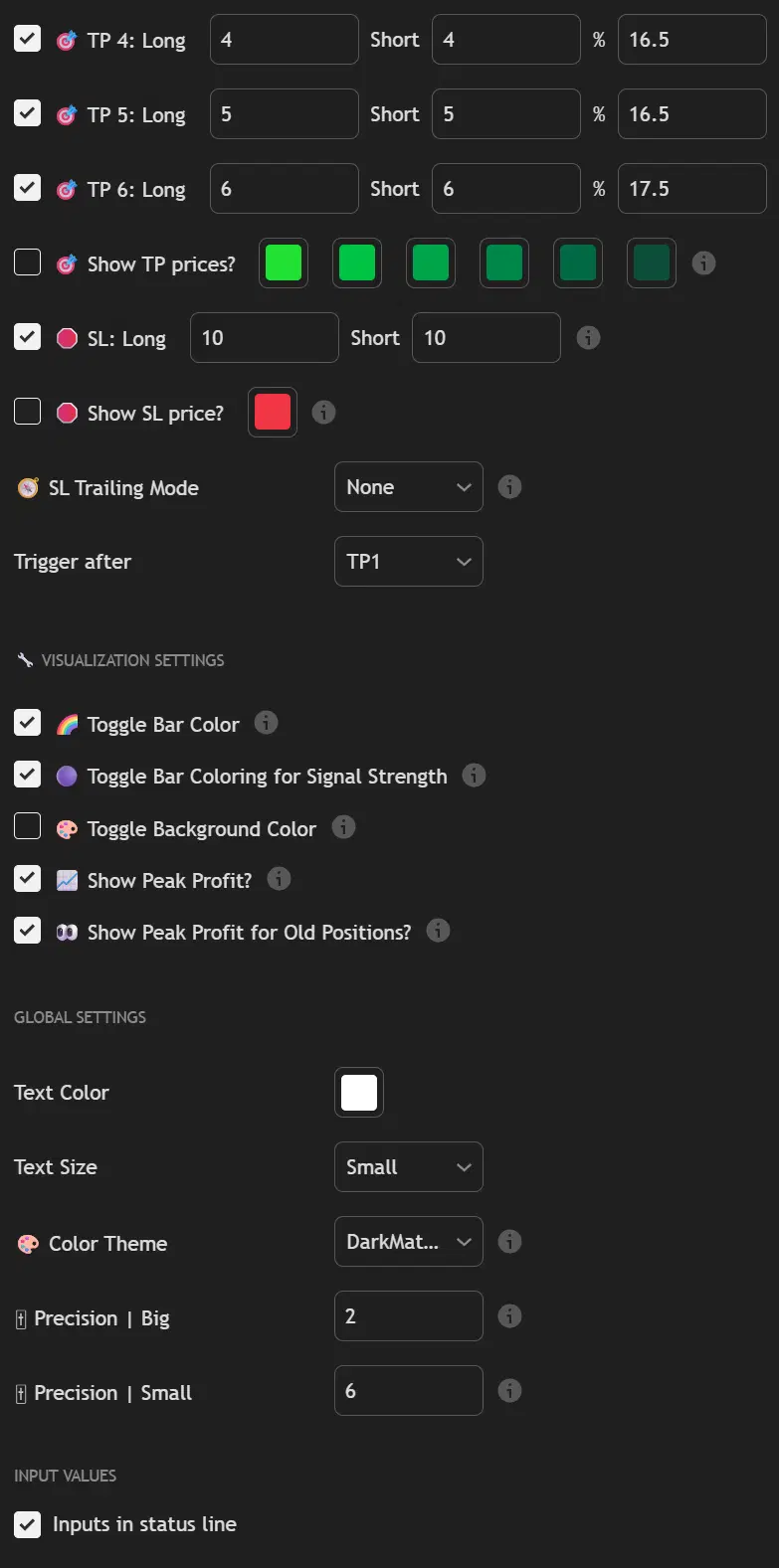
Copy Universal Settings
Start with the base configuration shown above
Set Your Sensitivity
Use the table value for your chosen asset
Configure Take Profit Levels
Apply the specific take profit settings from the expandable asset sections
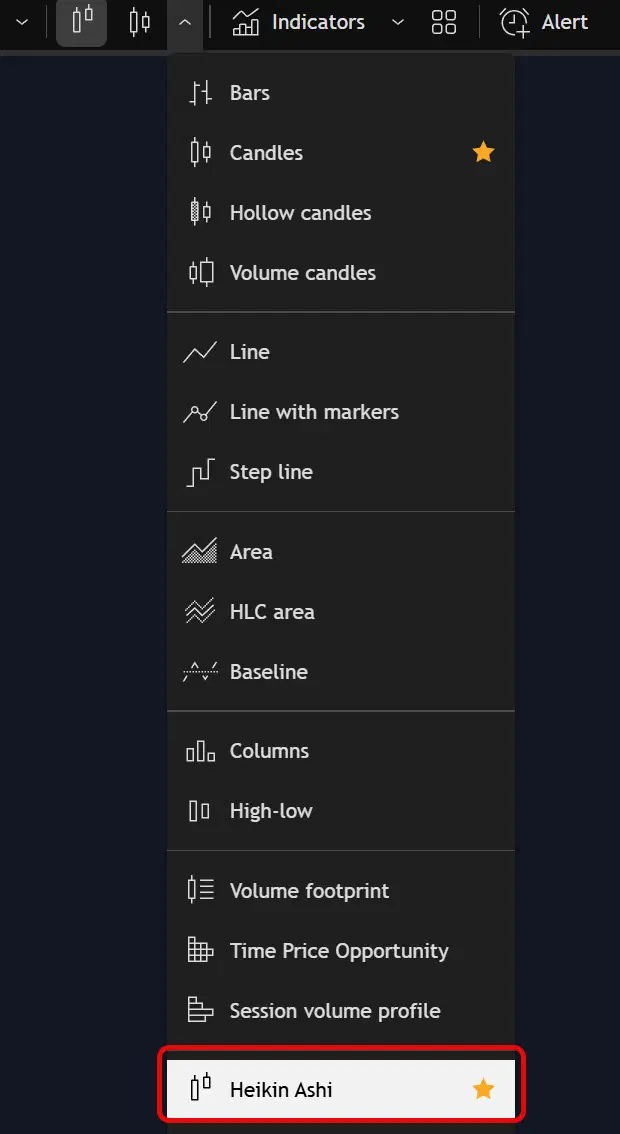
Enable Heikin Ashi
In TradingView, open the chart type dropdown and select Heikin Ashi